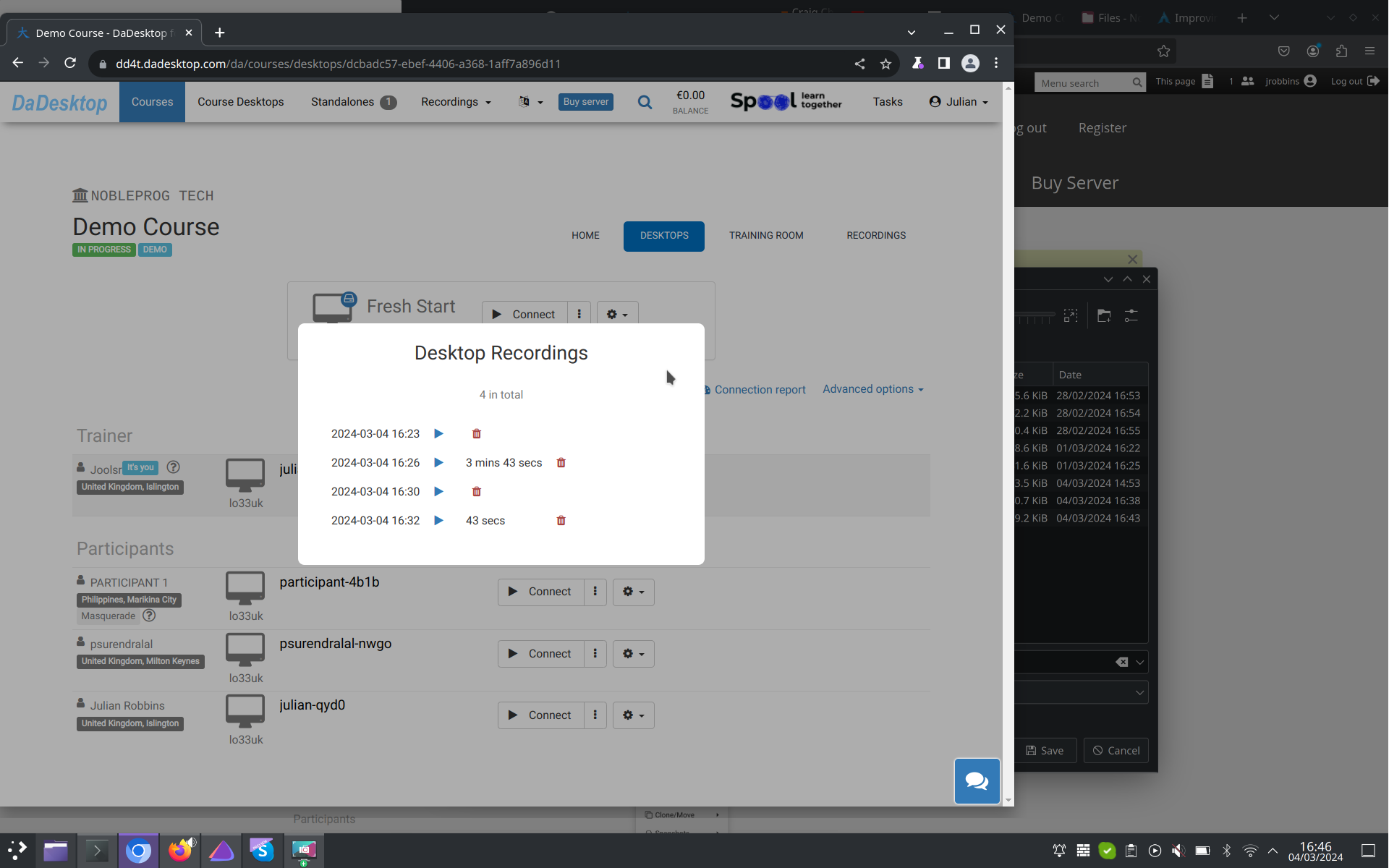
Auto-Session Recording
Your Trainer's Desktop starts recording automatically the moment you step into the training room.
Tap the red recording button again whenever you'd like to stop capturing.
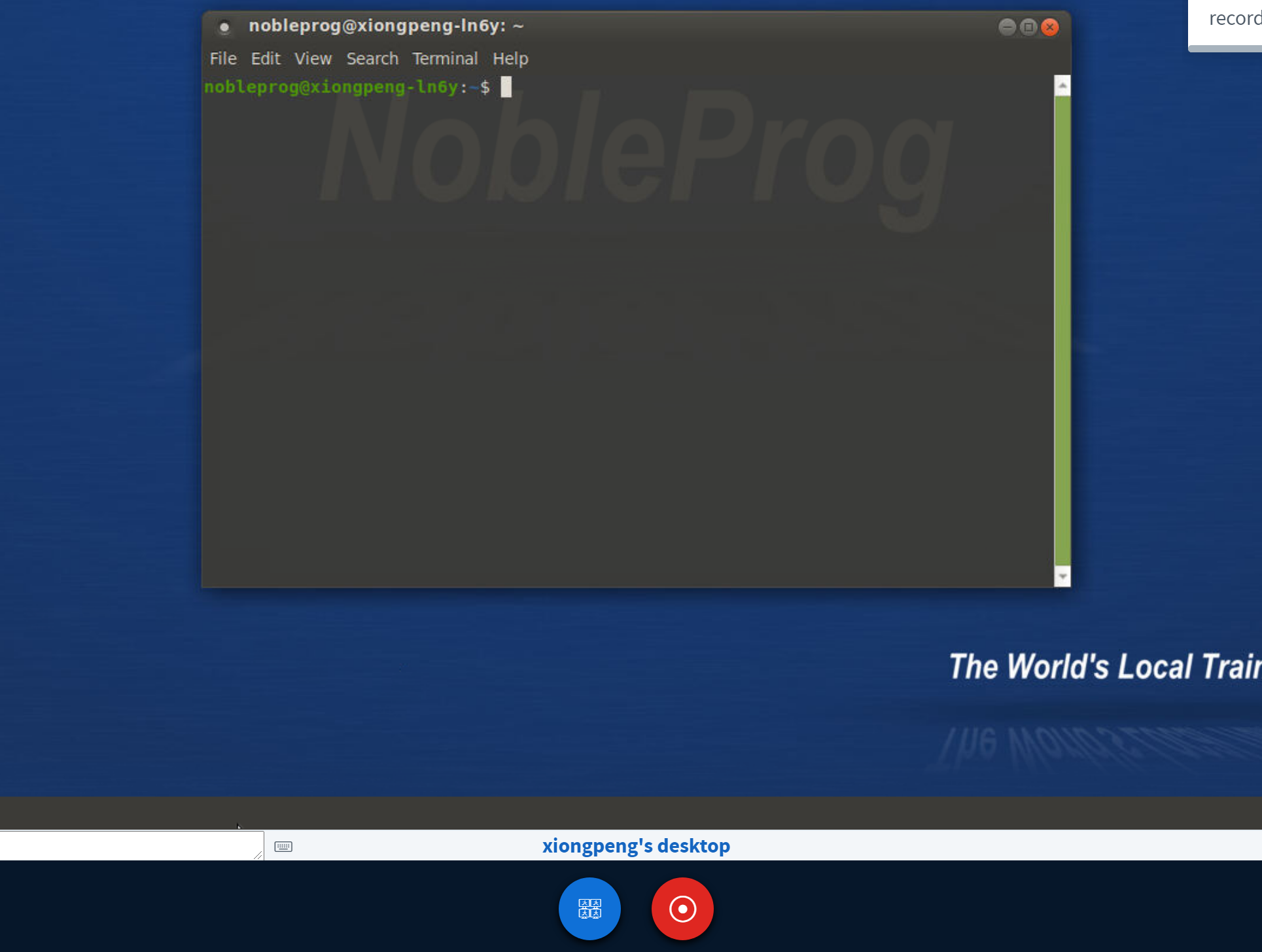
All of your recordings can be found inside "Trainer's Recordings" from your course dashboard.
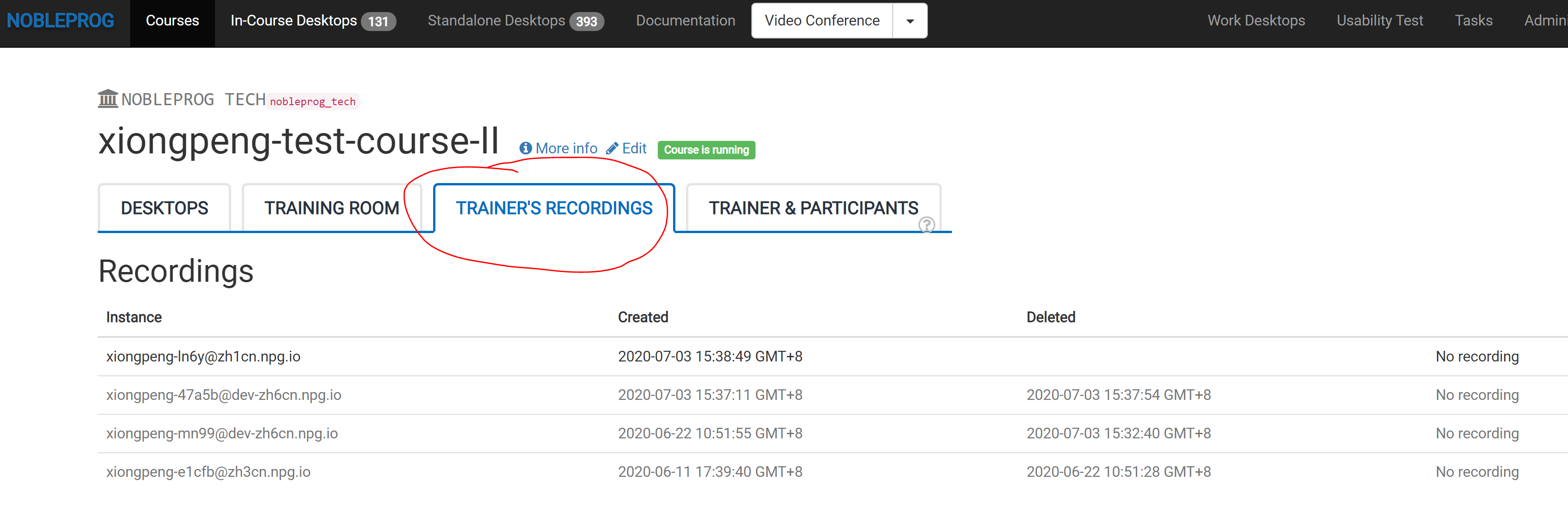
Review the automatically captured session from the Trainer's Desktop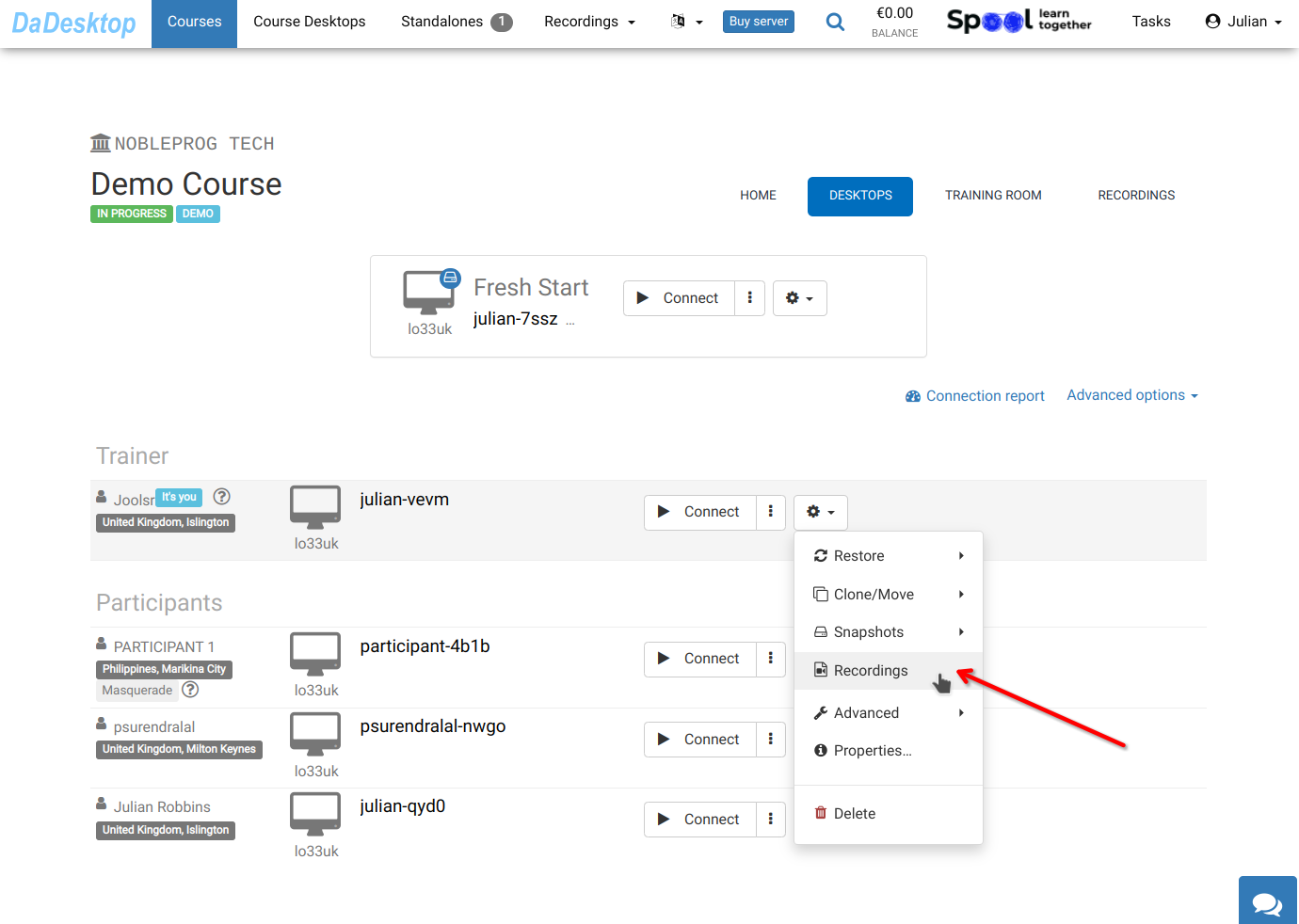
You'll see your recordings inside the "Recordings" section. Feel free to review or delete them as needed.