Managing Your Recordings
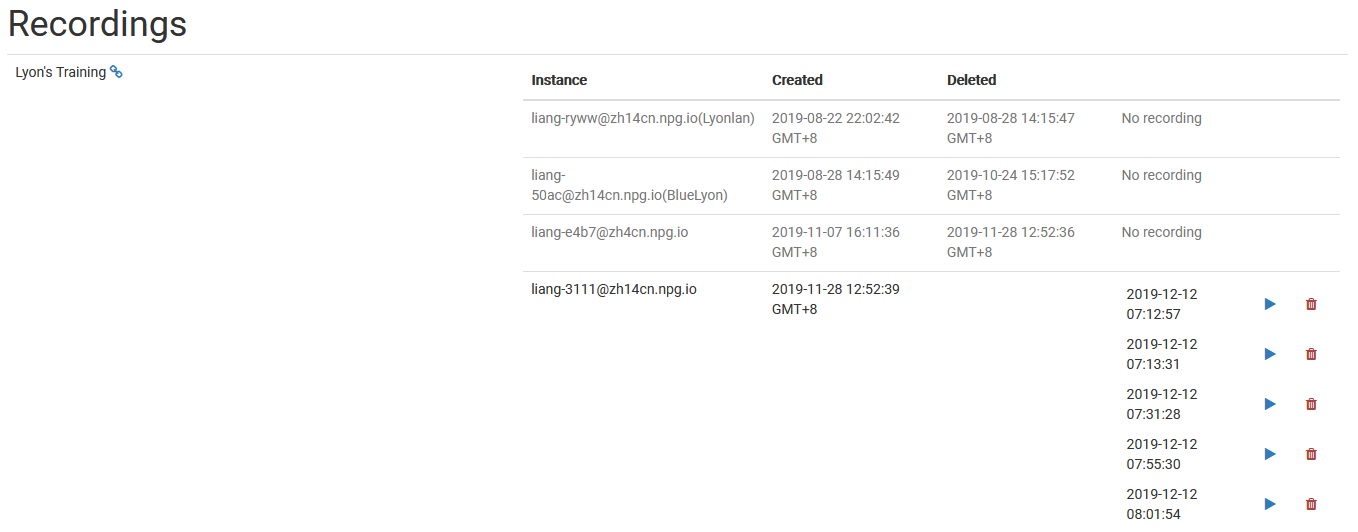
The Managing Recordings page lets Super Administrators view and oversee all recordings made in DaDesktop. It serves as a central hub for browsing available recordings, enabling admins to keep recording data tidy and delete those that are no longer needed.
Recording Management
From this management interface, administrators can scroll through the recordings list and inspect their details. This simplifies monitoring recordings platform-wide and carrying out upkeep as necessary.
Deleting Recordings
When a recording is no longer needed, it can be purged from the management interface. Clearing out unneeded recordings maintains system tidiness and cuts down on wasted storage space. Only obsolete recordings should be deleted, since deletion is meant for permanent removal.