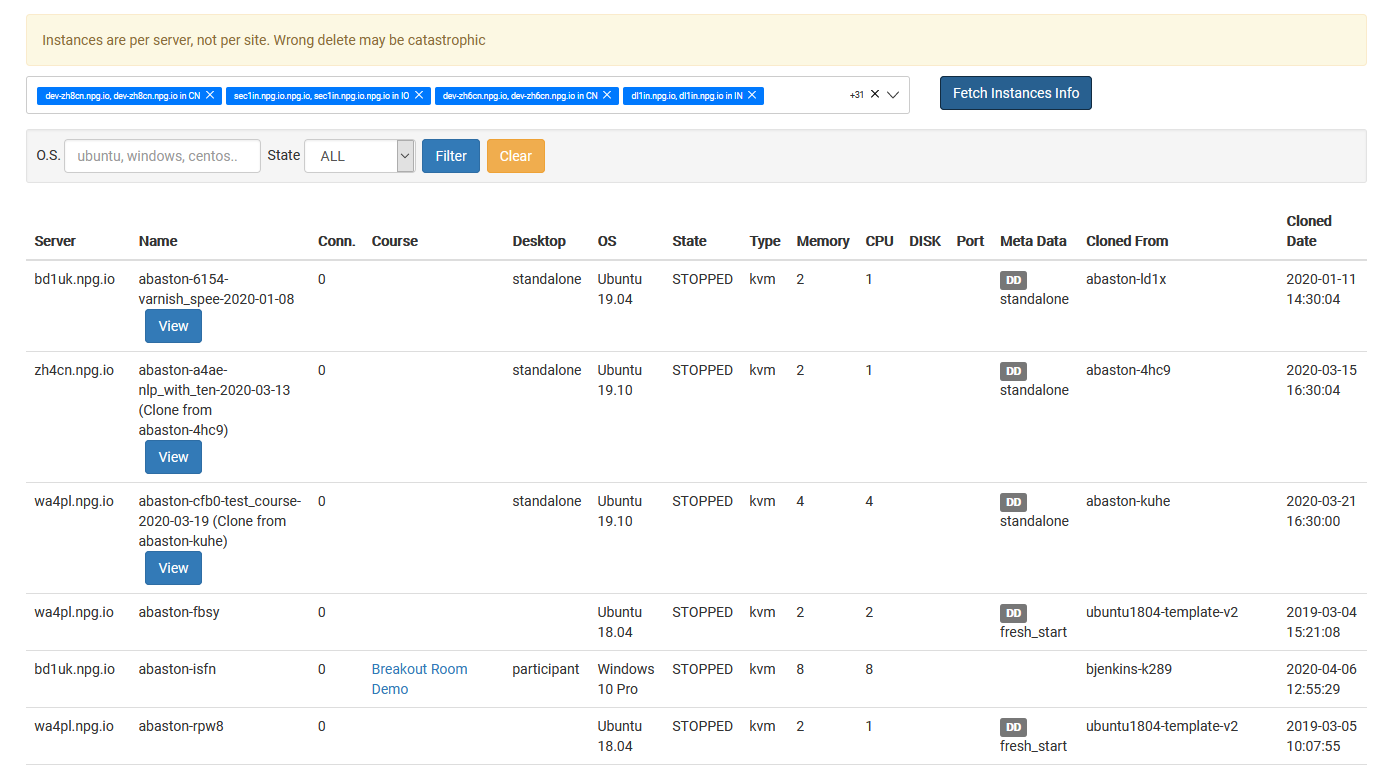
Managing All Desktop Instances
The Managing All Desktop Instances page offers Super Administrators a centralized location to oversee and control all desktop instances throughout the platform. It gives you a bird's-eye view of desktops from any organization, course, or server, simplifying system usage monitoring and administrative operations.
What You Can Do
- See all desktop instances on a single page.
- Search and filter desktops to swiftly locate particular machines.
- Review the current status and specifics of desktop instances.
- Carry out management tasks on chosen desktop instances as needed.
- Oversee desktops spanning organizations, servers, and data centres from one central point.
Who Can Access This Feature
The Managing All Desktop Instances capability is a Super Administrator feature. It's designed for admins who require a platform-wide view to monitor and manage desktop instances across the whole DaDesktop environment, rather than staying confined to a single organization or course.